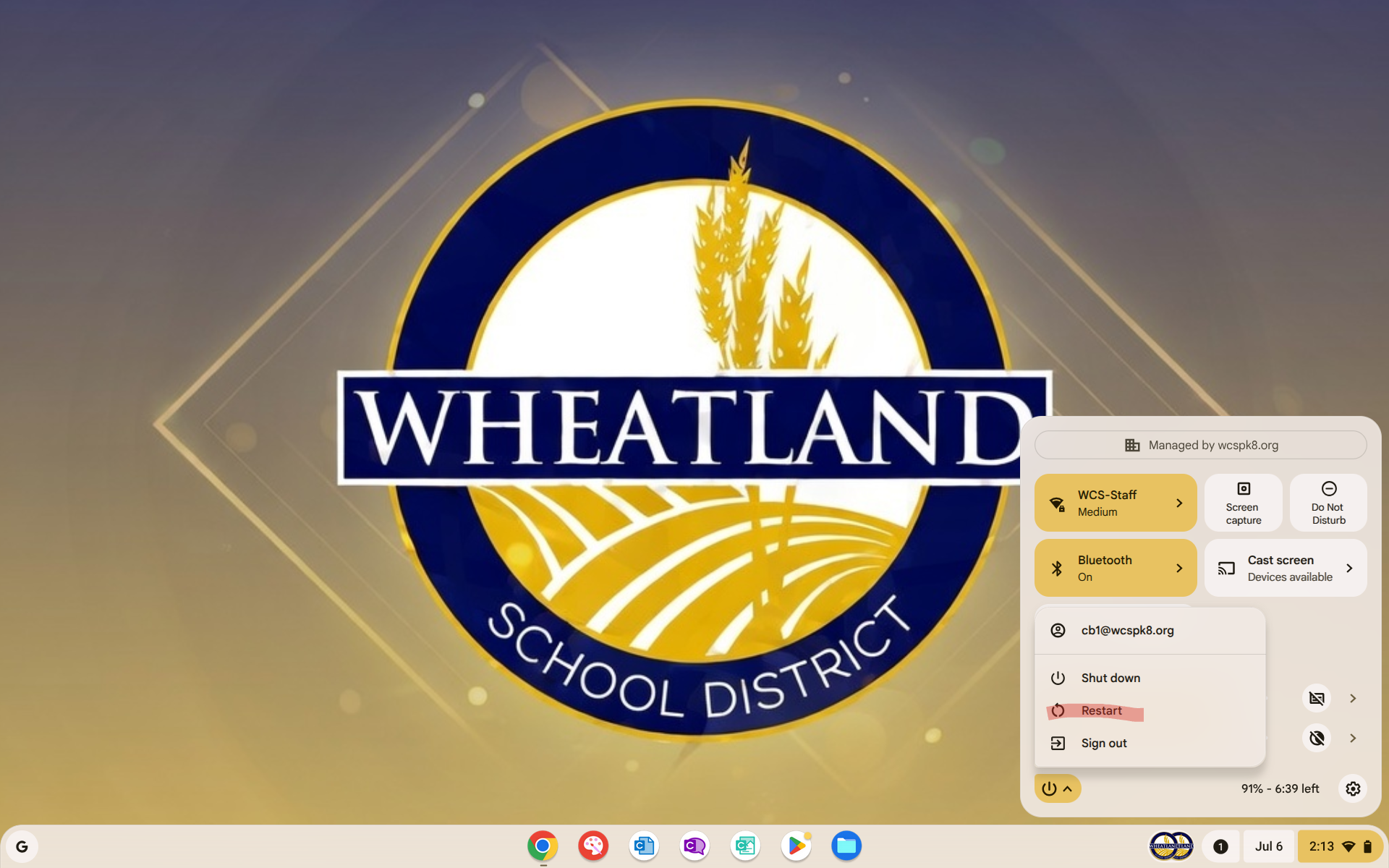
Here I will provide a quick rundown on how to reboot/restart your Chromebook.
1. On the main screen of your device( can be referred to as desktop) in the bottom right hand corner you will see your system tray (where your battery, Wi-Fi, and time are displayed) Click this:

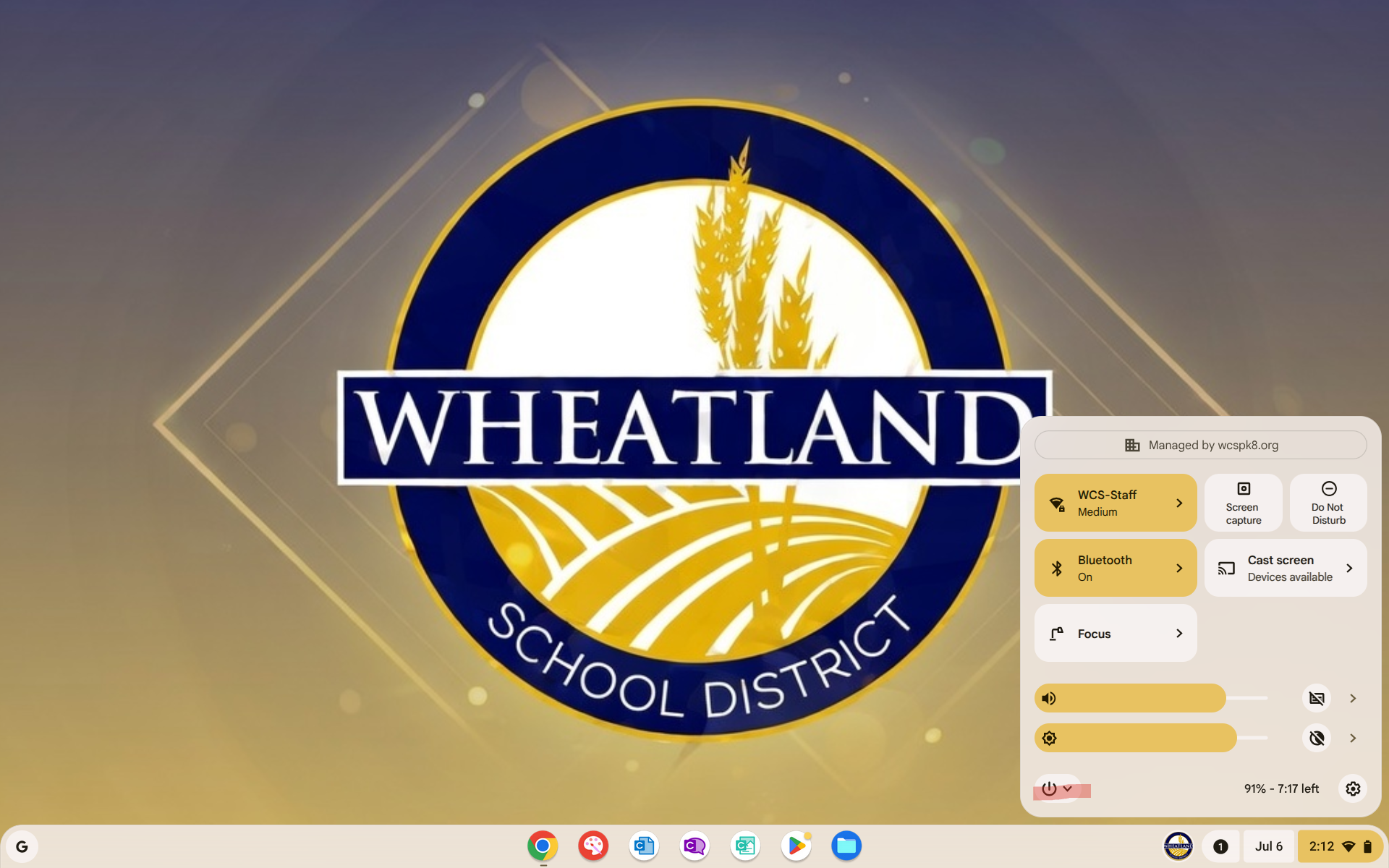
2. Once you have clicked the system tray you will see a pop up box in this pop up on the bottom left you will see a power icon, click the power icon:
3. Now that you have identified and clicked the power icon you will options to shutdown, restart, and sign out. Please select restart once you do this the screen will flash and the machine will begin to reboot.