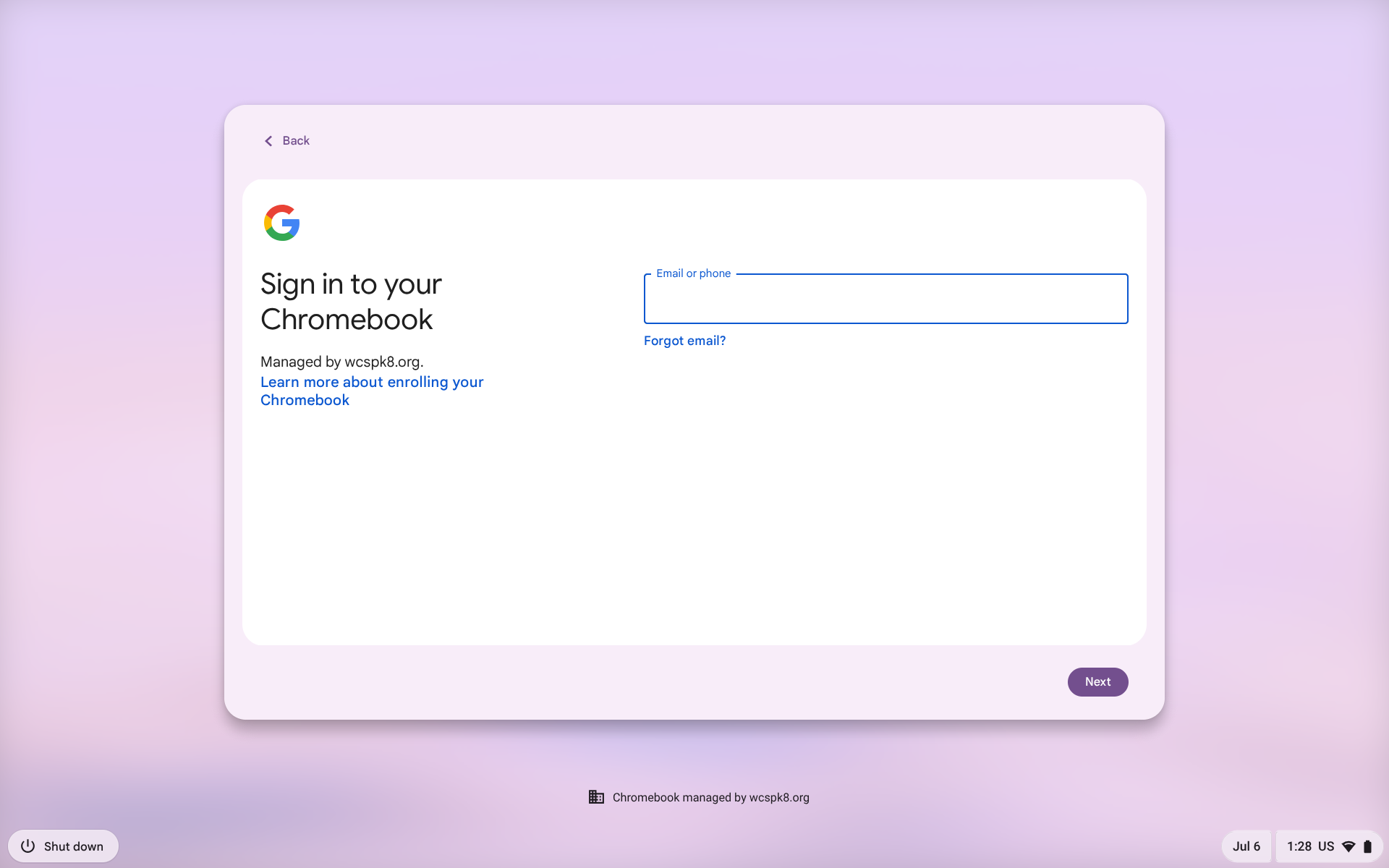
1. When you first receive your Chromebook and take it home you will see this image:
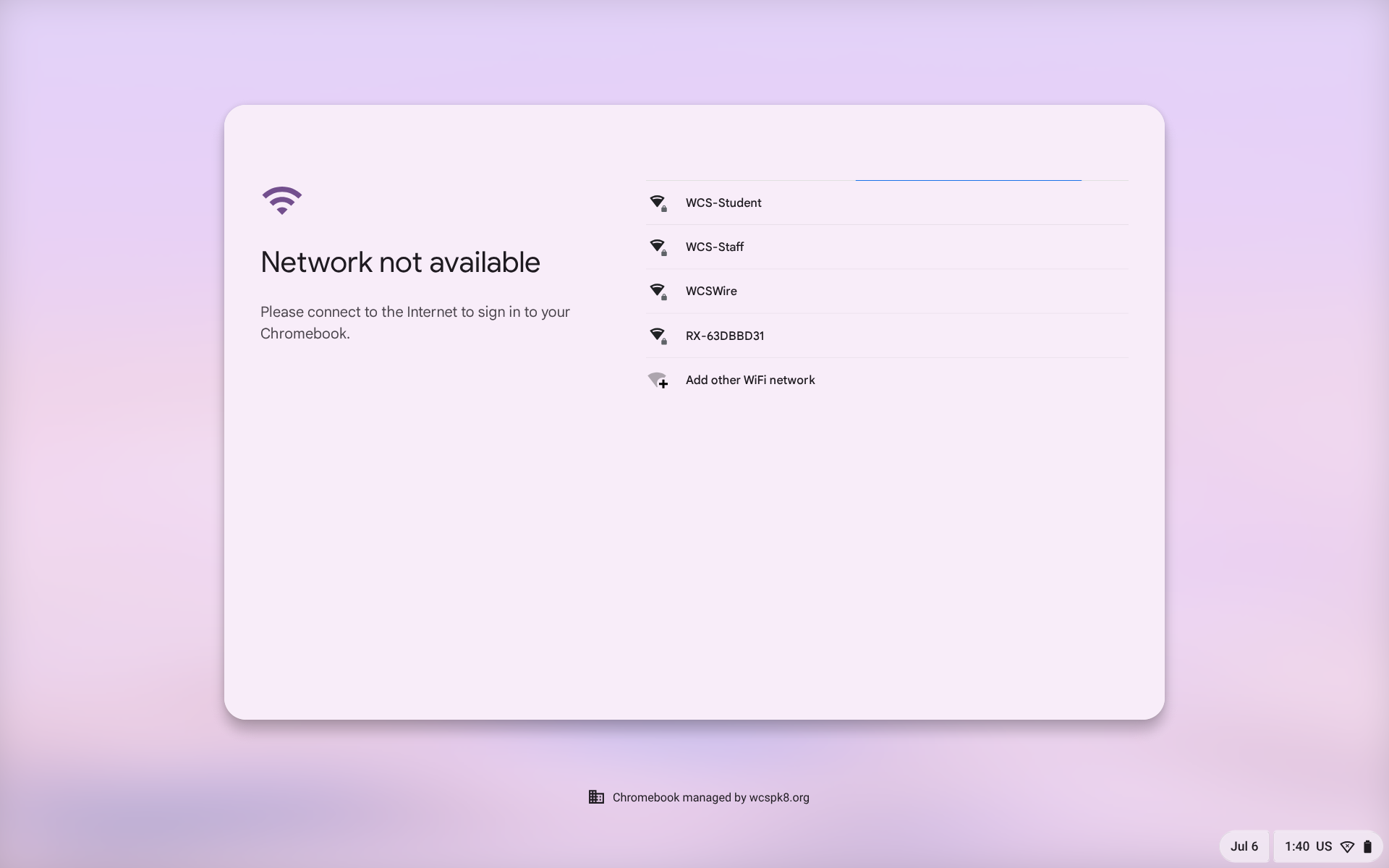
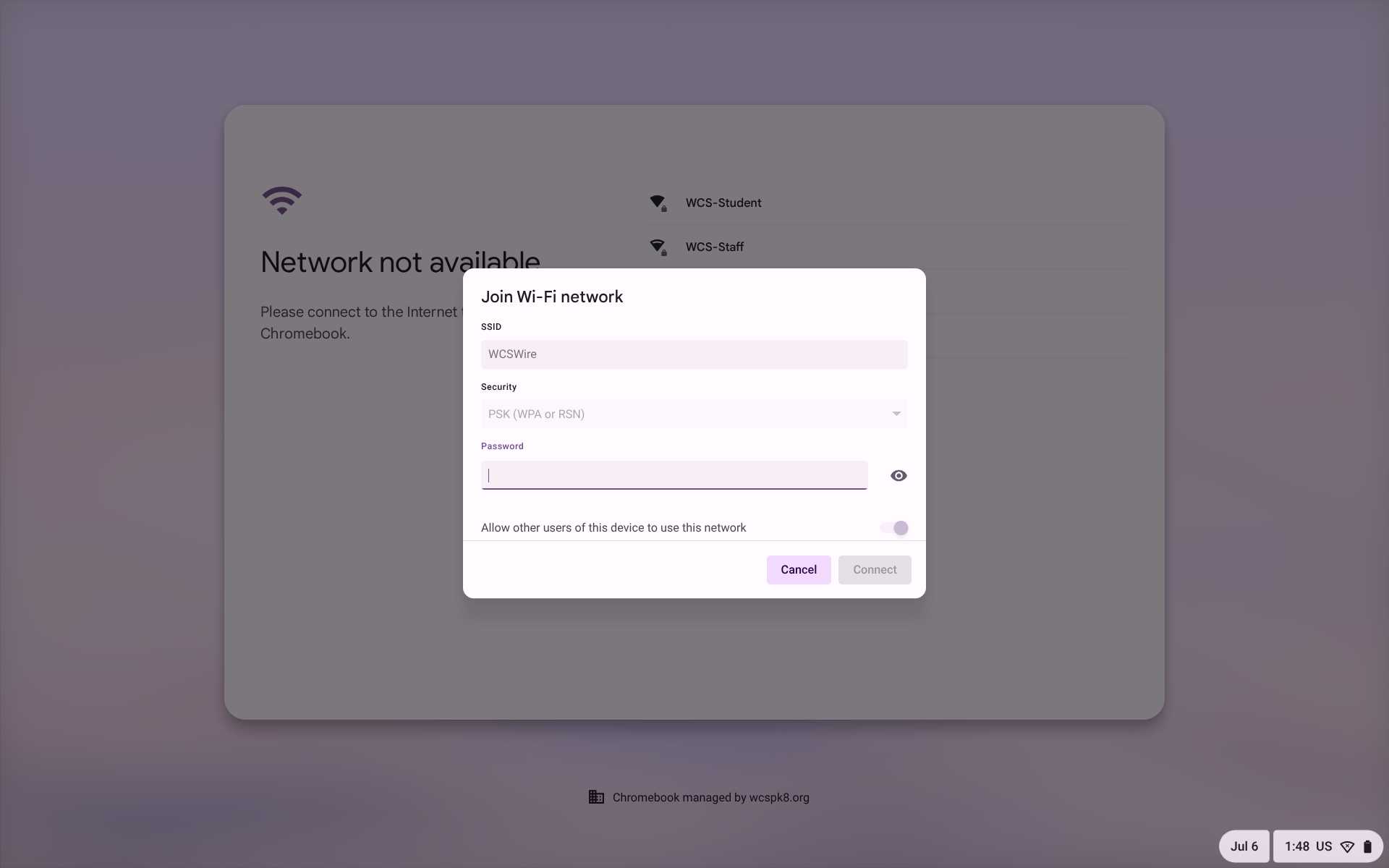
2. Select your network(SSID) from the list, once selected you will see the image below this is where you will type in your networks password:
3. When successfully logging in you will see this image below: (take note that in the bottom right hand corner you will see an icon that looks like you have full service: